
Aniimo photo mode: Creative, Follow and Selfie modes, research photos
Open the camera with F7 on PC (or the Snap button on mobile). R cycles modes: Creative to move the camera freely, Selfie to frame yourself, Follow to keep walking. When a camera icon pops up above a wild Aniimo, take the shot: the photo unlocks a research entry in your Aniilog.
On this page
Aniimo’s camera does two jobs: it keeps souvenirs of your adventure and it moves your Aniimo research forward. Here’s what the help center and the game’s Snap tutorial course say.
Opening the camera
| Platform | Open | Switch mode | Take the shot |
|---|---|---|---|
| PC | F7 (F8: Quick Snap) | R | Space |
| Controller | Hold the menu button to open the menu wheel, then pick Camera Mode with the left stick | Button shown on screen | Confirm (A / ×) |
| Mobile | Snap button | On-screen mode button | Snap button |
The three modes
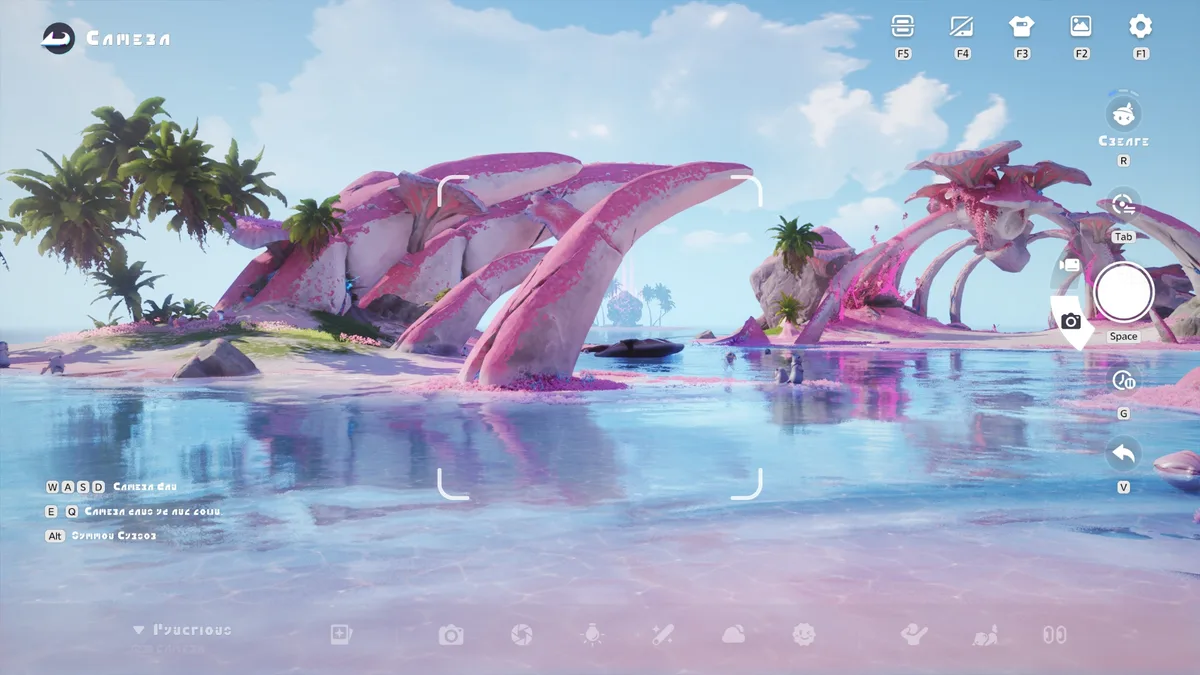
- Creative Mode: move the camera freely and tweak its settings. This is the one for carefully composed shots.
- Selfie Mode: the camera automatically frames your character from the front.
- Follow Mode: your character keeps moving freely, perfect for catching a moment mid-exploration.
On PC, R cycles through them in this order: Creative, Selfie, Follow, then back to Creative.
The Camera Menu
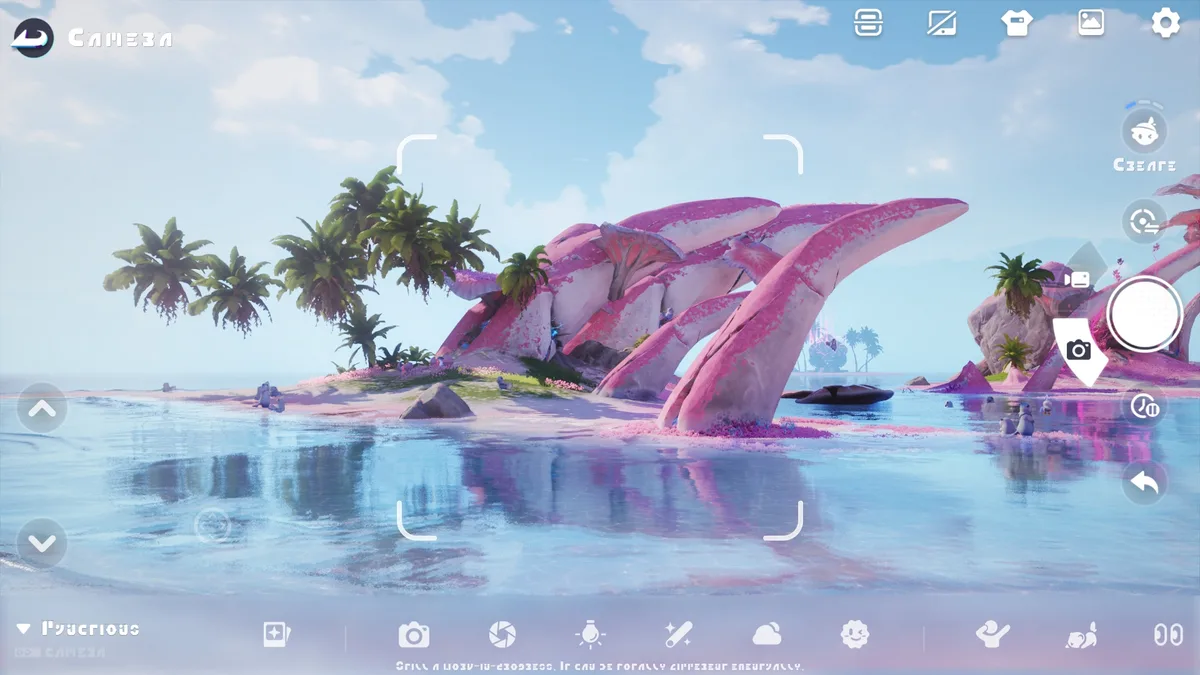
Creative and Selfie Mode include a Camera Menu where you adjust the camera settings for better-looking photos.
Posing your Aniimo
On the Camera Menu – Edit Aniimo screen, you can summon the Aniimo from your current party and adjust their positions. When you’re done, remember to switch back to Snap Mode before taking the shot — it’s the step people forget.
Snapping special behaviors
The Snap tutorial course (in the Courses module) explains how it works:
- Enter Camera Mode near a wild Aniimo.
- When the Aniimo shows a special behavior, a camera icon appears above its head.
- Take the photo right then: it unlocks a research entry that you’ll find in the Aniilog.
The tutorial uses a stunned Budclaw. Out in the world, BINI sometimes shouts “Quick, get the camera!” when a Skippy goes down a slide or a Susuta bounces on a trampoline. Be patient: as the game reminds you, missing a moment doesn’t mean the surprise is gone.
Some Aniilog Field Notes also ask for a specific photo, like a Wisptis sharpening its claws on a stone. Each species’ hints are on its page, in the Aniilog section (for example Celestis). For the whole system, read our Aniilog and Research Points guide.
The “Who’s That Aniimo?” event
During this event, the camera can recognize Aniimo forms. You enter Camera Mode through the event’s camera entrance. The rules shown in game:
- Polaris Institute reveals the period’s mystery Aniimo silhouette. At first, only its distinctive features are visible.
- Photographing Aniimo that share those features reveals the hidden parts of the silhouette.
- To complete it, photograph an Aniimo in the exact same form as the silhouette and submit the photo. Succeeding before the full silhouette is revealed earns bonus Aniimo Observation Rewards.
- If the mystery Aniimo appears in frame, the camera identifies it and gives you a hint. If a submitted photo shows a different Aniimo, the game checks the frontmost one against the day’s clues.
- You can submit a photo from your album if it meets the requirements.
- Your own Aniimo, other players’ Aniimo and wild Aniimo in Idyll all count.
- Photos taken in the Holo-Battle Sim (holographic projections) or inside Sanctums (sealed Aniimo) can’t be recognized or submitted.
Event dates are announced in our news.
Photos with friends
The Photo Studio lets you invite friends to pose with you. The Friend Duet guide sets three rules:
- You can send a Snapshot invitation once your Affinity reaches level 3.
- Each studio setup can invite up to 3 friends at once.
- You can accept invitations from up to 4 friends at the same time.
Affinity and the other social features are covered in our friends, trading and Companion Mode guide.
Frequently asked questions
How do you take a photo in Aniimo on PC?
Press F7 to open the camera, R to switch modes and Space to take the shot. F8 takes a Quick Snap.
What are Aniimo photos for?
When a wild Aniimo shows a special behavior, a camera icon appears above it in Camera Mode. Snapping it unlocks a research entry, which you can view in the Aniilog.
Can I put my own Aniimo in the picture?
Yes. In Creative and Selfie Mode, the Camera Menu lets you summon the Aniimo in your party and adjust their positions. Switch back to Snap Mode before taking the shot.
Can I take photos with friends?
Yes, in the Photo Studio. Once your Affinity with a friend reaches level 3, you can send them a Snapshot invitation.